Speak to Sophiie
A live demo call from Sophiie. Two minutes, no sales pitch.
Auto detailing
Sophiie answers enquiries, books detailing work, stores vehicle history, tracks job status, supports mobile updates, and handles quotes and invoices.
Learn more about Sophiie's AI office manager.
A live demo call from Sophiie. Two minutes, no sales pitch.
Detailing software should help with the work around the polish: lead response, scheduling, customer records, job notes, and billing.
Sophiie captures service package, vehicle details, location, condition, preferred time, and customer questions from calls and digital channels.

Jobs can include schedule, assigned team, status, notes, photos, reminders, and customer history.

Keep previous services, preferences, invoices, messages, and future reminders on the customer record.

Use the mobile app for schedules, customer records, job notes, voice notes, notifications, and invoicing.

Create branded quotes and invoices, track status, sync invoices to Xero, and send overdue reminders.

How it works
Add packages, add-ons, durations, service areas, mobile rules, FAQs, quote settings, and invoice defaults.
Link calls, chats, texts, email, forms, and calendars to Sophiie where your setup supports them.
Use job status, assignments, notes, customer history, reminders, and mobile updates while work is active.
Send invoices, sync to Xero where connected, and set reminders for repeat detailing work.
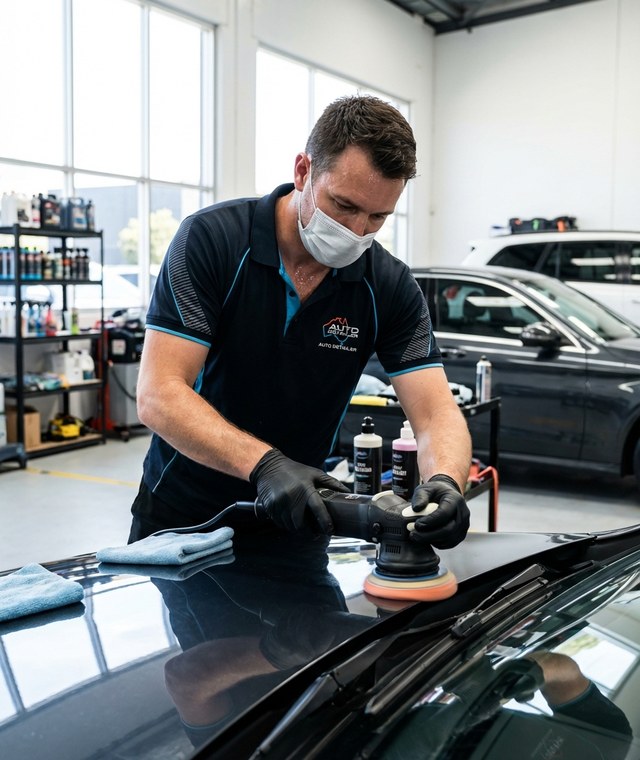
The shine happens in the bay or driveway, but the customer experience starts earlier: how fast the enquiry is answered, how clearly the job is booked, and whether the vehicle history is remembered.
Sophiie keeps the admin side connected. Calls, bookings, schedules, customer records, job notes, invoices, quotes, reminders, and mobile updates can move through one workflow.
When the booking, service package, customer messages, vehicle notes, and invoice all connect, the detailer spends less time piecing together the day.
Whichever trade you're in, learn more about Sophiie's AI for tradies.

Calls, quotes and scheduling on autopilot.

Emergency and routine calls, handled 24/7.

Service calls and installs booked for you.

Quotes and site visits locked in fast.

Inquiries and jobs booked while you build.

Recurring and one-off bookings, all handled.

Compliance visits and callouts, booked for you.

Quotes and installs booked while you lay.

Quotes and bookings sorted while you paint.

Every small job captured and scheduled.

Inquiries answered while you're on the trowel.

Regular services and callouts, scheduled.

Site visits and quotes locked in fast.

Pour dates and quotes, no phone tag.

Urgent leak calls answered around the clock.

Quotes and schedules handled between lays.

Tree work quoted and booked while you climb.

Calls and job admin handled at every stage.
Detailing customers often ask for a price before anyone has seen the car. The honest answer depends on vehicle size, condition, package and where the work will be done. A booking made without those details tends to run long, or turns up at an address with no water and nowhere to park.
For example, a mobile detailing business might get a request for an interior clean while the car sits in an office car park. Sophiie records the vehicle, package and add-ons, the address, whether the parking is covered, and whether water or power is available. She checks your availability and offers a time, then confirms it or marks it pending if your rules say so. The confirmation and reminder texts cover the time, the location and preparation, like clearing personal belongings out of the car. If plans change, the reschedule stays tied to the same customer and job record.
A customer wants a ceramic coating on a used ute and mentions swirl marks. Sophiie captures the vehicle type, condition notes and paint defects, and asks for photos if your process requires them. Heavy oxidation, overspray and similar paint problems change prep time, so the enquiry is flagged for your review instead of priced from a standard package. Once you've set the price, Sophiie helps send the coating quote by email or text and follows up if the customer goes quiet. If they accept, the coating is booked in with the scope and paint notes attached.
Detailing is repeat work. The customer record keeps vehicle notes, previous services, preferences, invoices and messages together, and reminders can prompt the next booking. When a regular calls about a maintenance wash, your team can see what was done last time before they answer.
The job record shows the assigned detailer, status, notes and photos, and the mobile app keeps schedules and customer records on the detailer's phone between cars. When the detail is done, Sophiie helps turn the package and add-ons into an invoice draft, and overdue invoices get follow-up on the timing you set. It works alongside your accounting software.
Sophiie runs the admin around the detail. She doesn't assess paint condition or recommend products. Package prices come from your service list, and anything outside it waits for you.
Sophiie brings together lead capture, appointment booking, job records, customer messages, quoting, invoicing, reminders, and mobile updates.
Yes. Customer profiles can keep vehicle notes, previous services, invoices, messages, and reminders.
Yes. Sophiie can capture enquiries from phone, chatbot, text, email, and forms and help schedule qualified work.
Yes. With Xero connected, Sophiie can send invoice records across.
No. It manages business admin and customer workflow. Specialist inspection, estimating, or shop systems may still be used.
Use Sophiie to answer leads, schedule jobs, manage customers, update work, and handle quotes and invoices.