Speak to Sophiie
A live demo call from Sophiie. Two minutes, no sales pitch.
Plumbers
Dispatch software for plumbers who cannot stop mid-job for every call.
Learn more about Sophiie's job management software.

A live demo call from Sophiie. Two minutes, no sales pitch.
Use Sophiie to collect the right job details, keep the schedule visible, and give each plumber context before the visit.
Sophiie answers missed and after-hours calls, captures the customer, site, issue, and urgency, then saves a useful summary.
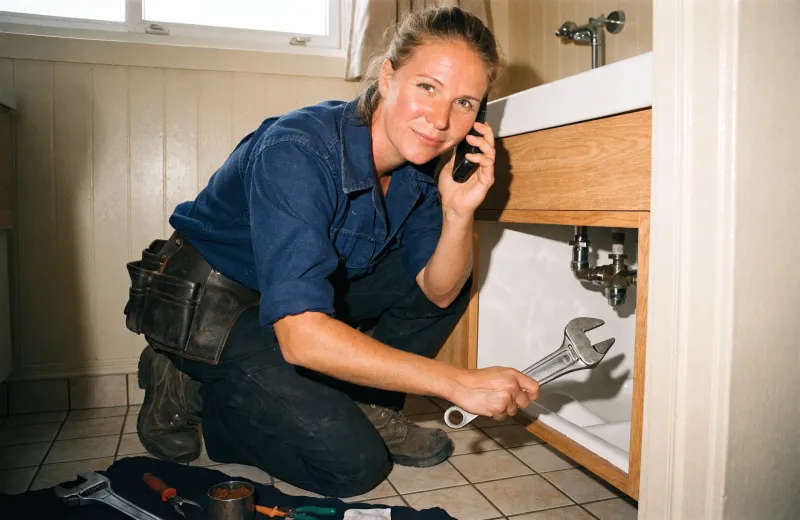
Track descriptions, scheduled times, assigned team members, job history, status updates, photos, documents, and notes.

Use Sophiie to keep bookings, arrival windows, reminders, and reschedules organised in the dashboard.

Call, text, or email customers from Sophiie when the plumber is delayed, a part is needed, or a follow-up visit is booked.

Add your service areas, emergency rules, common services, and call outcomes so enquiries are captured the way your office needs.

How it works
Add blocked drains, burst pipes, hot water, leaks, gas, maintenance, and the details your team needs before dispatch.
Sophiie captures the customer, site address, urgency, access notes, and requested service.
Use the job manager and calendar view to track time, team member, status, and job-specific reminders.
Use calls, texts, email drafts, and job history to confirm arrival windows, reschedules, and follow-up work.
The useful details are usually collected while the customer is stressed: burst pipe, blocked drain, no hot water, leaking toilet, strata access, or a tenant who is not on site. If that first call is rushed or missed, the plumber arrives with gaps.
Sophiie can answer calls 24/7, collect caller details, summarise the issue, and keep the customer record in the CRM. The job manager then gives your team a place to track scheduled times, assigned plumbers, status updates, notes, attachments, and job-specific reminders.
For booked work, Sophiie supports calendar-based scheduling and rescheduling. That helps your office keep arrival windows, follow-ups, and customer updates organised without switching between calls, texts, and handwritten notes.
Services & features
6 services
Create branded plumbing quotes from your service list, captured scope, pricing, GST, and terms, then follow up and convert accepted work.
Learn more about AI Quoting for PlumbersTrack plumbing jobs, status, schedules, staff assignments, notes, photos, reminders, and customer updates in Sophiie.
Learn more about Jobs Manager for PlumbersCreate branded plumbing invoices, add GST and line items, sync to Xero, track payment status, and send overdue reminders with Sophiie.
Learn more about AI Invoicing for PlumbersKeep plumbing customers, job history, notes, calls, emails, texts, reminders, and upcoming work in one searchable Sophiie CRM profile.
Learn more about Customer CRM for PlumbersSophiie helps plumbers keep equipment needs, jetter or camera notes, assigned work, photos, reminders, and customer history attached to jobs while specialist tracking tools stay separate.
Learn more about Asset Tracking Software for PlumbersSophiie helps plumbers manage email enquiries, draft replies from approved knowledge, ask for missing details, and keep threads organised.
Learn more about AI Email Responder for Plumbers
Calls, quotes and scheduling on autopilot.

Service calls and installs booked for you.

Quotes and site visits locked in fast.

Inquiries and jobs booked while you build.

Recurring and one-off bookings, all handled.

Compliance visits and callouts, booked for you.

Quotes and installs booked while you lay.

Quotes and bookings sorted while you paint.

Every small job captured and scheduled.

Inquiries answered while you're on the trowel.

Regular services and callouts, scheduled.

Site visits and quotes locked in fast.

Pour dates and quotes, no phone tag.

Urgent leak calls answered around the clock.

Quotes and schedules handled between lays.

Tree work quoted and booked while you climb.

Calls and job admin handled at every stage.
Yes. Sophiie can answer 24/7, capture details, and follow the call flow you set for urgent plumbing enquiries.
Yes. Sophiie's job manager tracks assigned team members, scheduled dates, status updates, and job history.
Sophiie can work alongside tools such as calendars, ServiceM8, Simpro, Xero, Outlook, Gmail, and Zapier depending on your setup. It focuses on customer intake, scheduling support, job records, and communication.
Yes. You can manage calls, texts, and emails from the dashboard, with AI support for drafting clear replies and updates.
Let Sophiie capture the call, organise the job details, and keep customer updates tied to the right plumbing visit.