Speak to Sophiie
A live demo call from Sophiie. Two minutes, no sales pitch.
Mould and water damage restoration
Answer, qualify, book, follow up, and invoice without losing context.
Learn more about Sophiie's AI office manager.
A live demo call from Sophiie. Two minutes, no sales pitch.
Use Sophiie for front-office coordination, not technical mold assessment.
Sophiie answers calls and messages, captures affected area, moisture context, property details, and urgency.

She can collect preferred times and help move ready customers into confirmed or pending inspection bookings.

Store call summaries, photos, access notes, assigned staff, job status, reminders, and communication history.

Sophiie can help send and follow up remediation estimates while keeping status visible in the CRM.

Create invoices for completed work, track payment status, send overdue reminders, and sync with Xero when enabled.

How it works
Add service areas, inspection rules, customer questions, escalation paths, and estimate handoff requirements.
Calls, forms, emails, texts, and chats can become customer records with site context attached.
Sophiie helps schedule the next visit, store notes, assign work, and keep status visible.
Estimate follow-ups, customer updates, invoices, payment reminders, and history stay in the same workflow.
A mold remediation job may begin with a worried homeowner, move to inspection, wait on estimate approval, involve a property manager, and finish with invoice follow-up. Each step creates details that are easy to lose if they live in separate calls, texts, and inboxes.
Sophiie helps hold the front-office workflow together. She captures the enquiry, records site context, helps book inspections, stores notes and follow-ups, and keeps the customer timeline clear.
Sophiie does not determine contamination scope, write clearance reports, or replace remediation expertise. The system is useful because it handles the communication around that expertise: intake, scheduling, quote status, customer updates, and billing.
When the technical team needs to review an enquiry, the information is already collected. When the customer needs a reminder or status update, the workflow is already in place.
Remediation customers often feel stressed. Prompt phone answering, clear next steps, remembered details, and timely follow-up help your business feel organised from the first call through the final invoice.
Mould and water damage restoration
Whichever trade you're in, learn more about Sophiie's AI for trade businesses.

Calls, quotes and scheduling on autopilot.

Emergency and routine calls, handled 24/7.
Service calls and installs booked for you.

Quotes and site visits locked in fast.

Inquiries and jobs booked while you build.
Recurring and one-off bookings, all handled.
Compliance visits and callouts, booked for you.

Quotes and installs booked while you lay.

Quotes and bookings sorted while you paint.

Every small job captured and scheduled.

Inquiries answered while you're on the trowel.

Regular services and callouts, scheduled.

Site visits and quotes locked in fast.

Pour dates and quotes, no phone tag.

Urgent leak calls answered around the clock.

Quotes and schedules handled between lays.

Tree work quoted and booked while you climb.

Calls and job admin handled at every stage.
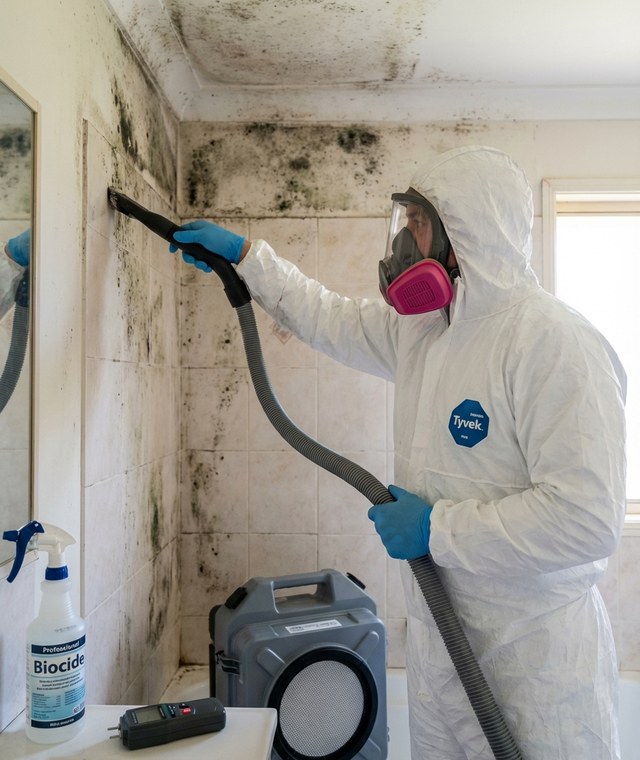
Most mold enquiries are not emergencies. They start with a stain that has been spreading for weeks, a musty smell in a wardrobe or a tenant's email about a bathroom ceiling. The first job is an inspection, and getting there depends on the leak history and on who can approve access, not only on a free slot in the calendar.
For example, a remediation business might get a website message from a tenant about black spots spreading across a bathroom ceiling since a leak last winter. Nothing is leaking now, so this is an inspection booking, not a callout. Sophiie asks the intake questions you set: the affected area, the water source or leak that came before it, when that was, who lives at the property and how to get in.
If the property is already in your system, earlier calls, notes, moisture-source details and past inspection appointments sit on the same customer timeline. Your inspector can see whether this is the bathroom where a leak was repaired last year before deciding what to bring.
If the message says water is still coming through, or describes a major mold concern, it follows your escalation rules instead. An active leak is a water damage restoration job first, with its own urgent path.
The tenant can send photos through Sophiie's webform, and the submission lands in the same inbox as your calls, texts and emails, with the customer's details attached. Your team can look at the ceiling before calling back and decide whether the inspection needs more time or a second person. Reading the photos is your inspector's job. Sophiie collects them and keeps them with the enquiry.
In a rental, the person who reports mold is rarely the person who approves the inspection. Your intake questions can ask whether an owner or property manager has to approve access, and you can hold the visit as a pending inspection booking until they do. Once access is confirmed, your office confirms the booking and the customer gets the inspection window by text. Notes and reminders on the record show when access still needs another check, so an unanswered approval does not quietly stall the job.
After the inspection, your team sets the scope. For straightforward work, Sophiie can help prepare the remediation estimate from your service list, scope notes and pricing rules, and uncertain scope is flagged for your review. She helps send it by text or email, then follows up pending approvals on the timing you set. That matters in remediation, where customers are often waiting on a property manager or an insurer before they say yes. The estimate status stays visible while they decide.
Once the estimate is accepted, the agreed scope, customer details and notes move into a scheduled job, and the crew can read them on the job record alongside the photos and access notes before arriving. When the work is finished, that record keeps the moisture source, the estimate and the messages together. If the same customer gets in touch about the same room next year, your team starts from that history instead of starting over.
Sophiie manages front-office workflows: answering, booking, CRM, job notes, estimates, reminders, and invoices. Specialist remediation project tools may still be needed.
Yes. Sophiie can answer 24/7, collect details, and apply your escalation rules for urgent remediation enquiries.
Yes. Sophiie's webform can collect photos or files, then place the submission in the same inbox as other enquiries.
Yes. Sophiie's invoicing workflow supports Xero sync, payment tracking, and overdue reminders when configured.
Use Sophiie to capture enquiries, book inspections, track follow-up, and keep billing moving.